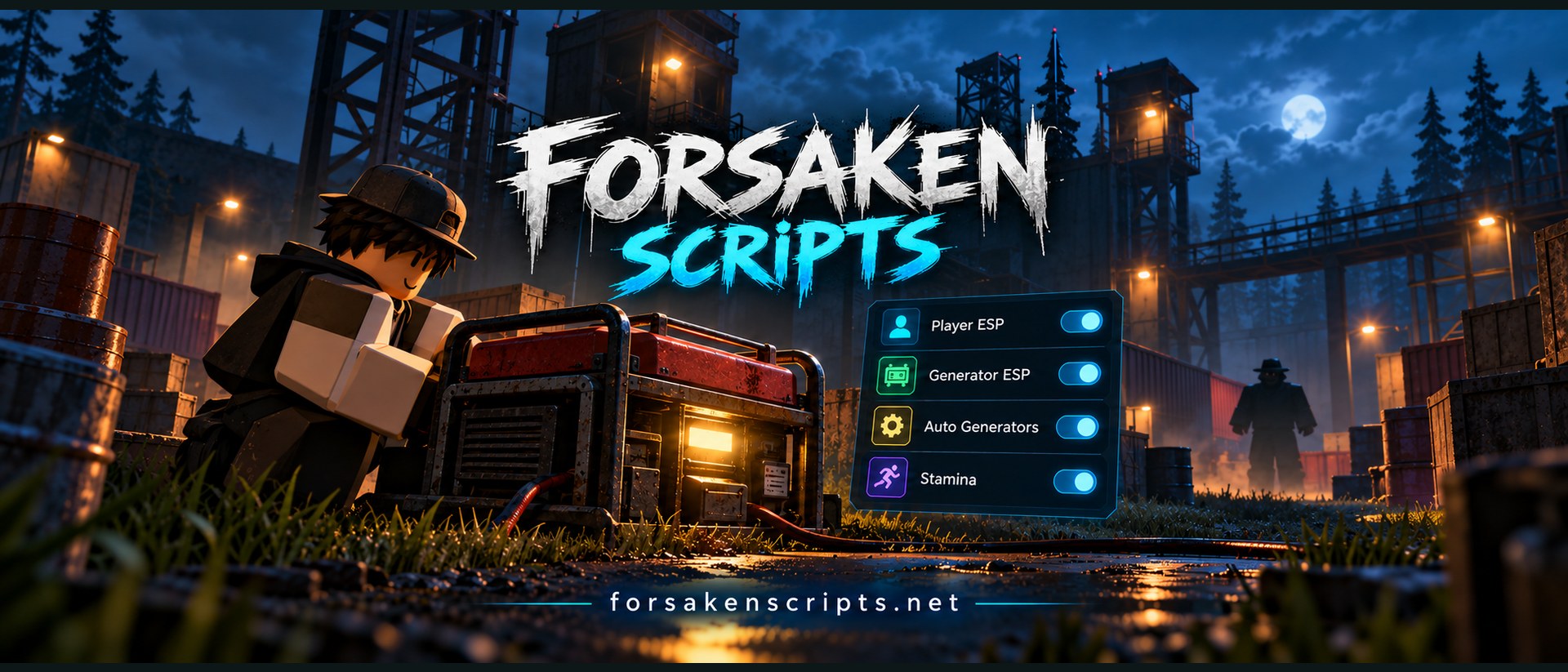
Find Forsaken scripts by the tools you need: player ESP, generator helpers or stamina settings. Compare the listed features, check whether a script needs a key, and copy its code from the catalog. Prefer a file? Use Download to get the same script as a .lua file.
Voidware — Hub Script for 99 Nights, Forsaken, Ink Game & BedWars
Working · source status
Voidware brings 99 Nights in The Forest, Forsaken, Ink Game, and BedWars together through one loader. It detects the active game and opens its matching hub module, with the same launch string used across all four experiences.
One loader supporting four Roblox games
Automatically selects the module for the current game
99 Nights in The Forest: Kill Aura
99 Nights in The Forest: automatic resource farming
99 Nights in The Forest: character settings
Dedicated modules for Forsaken, Ink Game, and BedWars
SNT Hub - Forsaken Script [Stamina, Auto Generators, Aimbot]
Working · source status
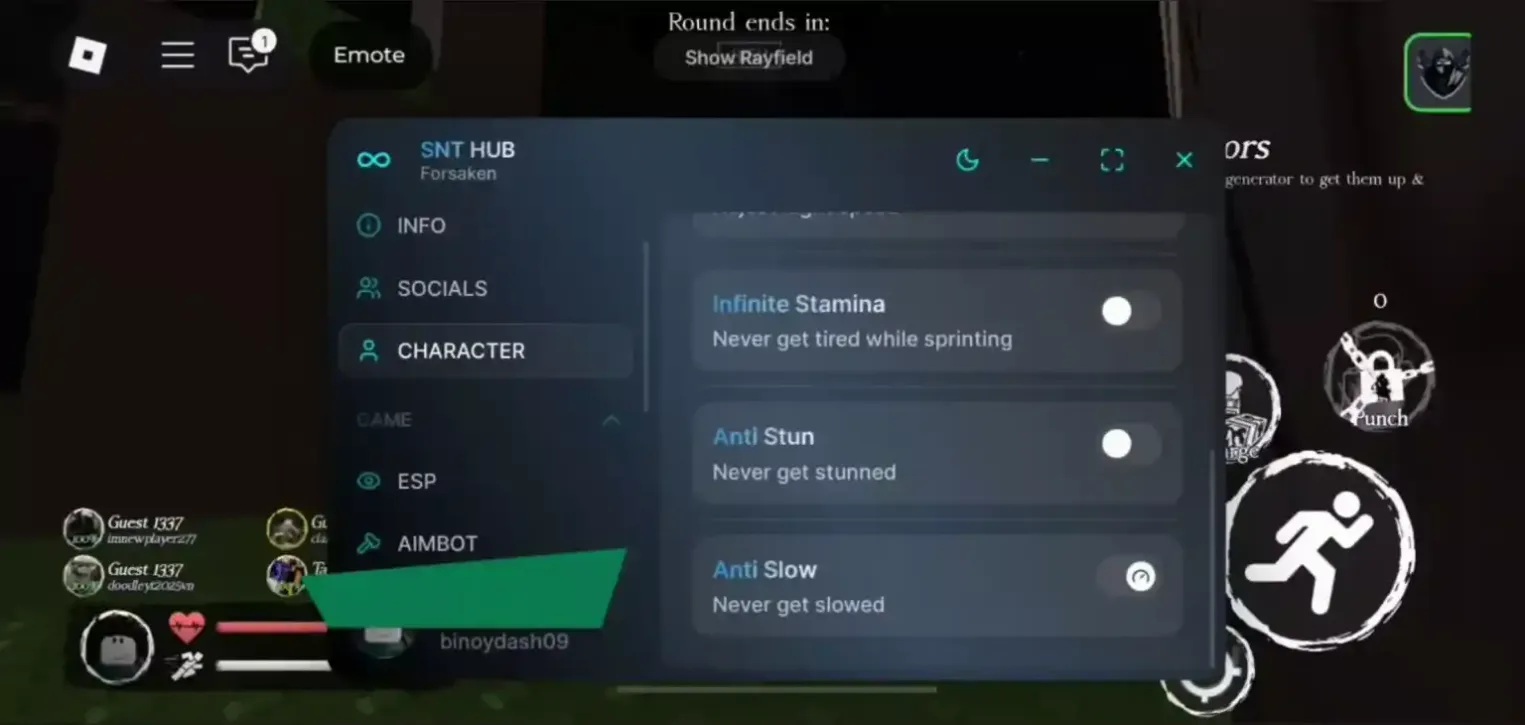
SNT Hub is a keyless Forsaken script with unlimited stamina, automatic generator repairs, stun protection, and other useful tools. It works with Arceus X Neo and Delta.
Moondiety - Forsaken Script for Roblox, Keyless ESP
Working · source status
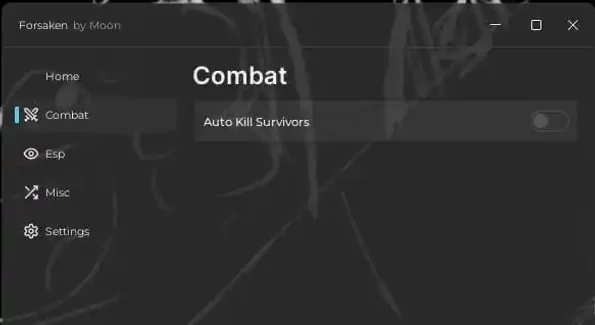
Moondiety is a free Forsaken script for Roblox that works without a key. It includes tools for automatically eliminating survivors and spotting players through walls.
Forsaken Plus - Roblox Script with Auto Generators
Working · source status
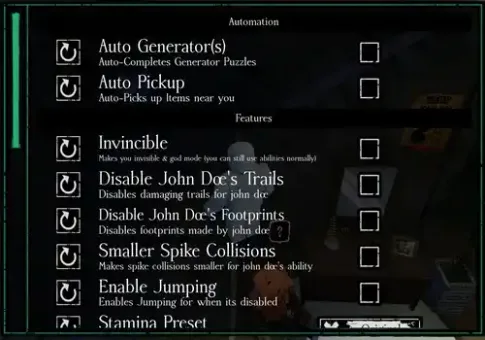
Forsaken Plus is a simple, powerful keyless script for Forsaken in Roblox. It includes automatic generators, invisibility, nearby item pickup, and more useful options.
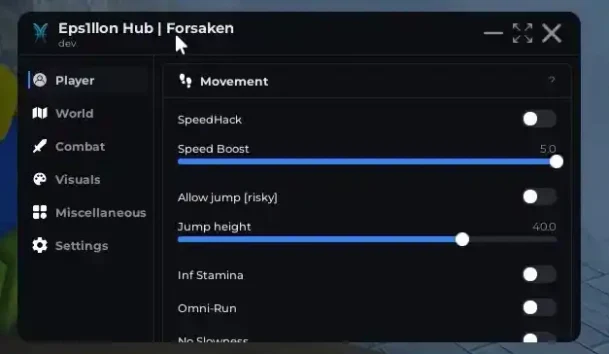
Eps1llon Hub is a useful Forsaken script with faster movement, unlimited stamina, and player ESP. It also includes several movement and generator-focused options for a smoother match.
Voidware - Forsaken Roblox Script [Auto Farm, Auto Block]
Working · source status
Voidware is a feature-packed script for Forsaken in Roblox, built for auto farming, automatic blocking, invisibility, and generator automation. It is keyless and works with Delta, Xeno, and Solara.
ESP, Auto Block & Generators for Forsaken — No Key
Working · source status
Use this Forsaken script with the Delta injector without needing a key. It includes ESP, Auto Block, automatic generators, an Emote Generator, and other useful options.
Forsaken Scripts for Roblox: Roles and Round Objectives
Forsaken is a Roblox game built around different responsibilities within the same round. Survivors need to keep track of teammates, work toward objectives and remain in the match until the timer finishes. The killer has a different objective and a different reason to look for players. That distinction is the best starting point when comparing a script menu. A tool that points toward generators answers a different question from one that marks the opposing role.
How a Round Changes Your Priorities
Think about the moment that usually causes confusion. You might lose your bearings while moving between objectives, struggle to distinguish a player marker from an objective marker, or find a large menu awkward to use on a phone. Describe that problem before looking at feature names. This makes it easier to choose a relevant entry without assuming that the longest feature list is the most useful. A menu opening in the lobby also does not establish that every option applies during an active round.
Start with the actual catalog entry rather than a familiar hub name. Read its description, listed features, key requirement and reported status together. Two scripts for the same game can focus on different tasks. One might provide information on screen while another includes an interaction helper. Neither should receive credit for a feature that appears only in the description of a different entry. Keep the original script name when comparing it elsewhere.
Compare Script Menus, Not Just Names
The full code is available in each published card, so you can read the selected text before deciding whether to copy it. DOWNLOAD appears above that code and leads to the file version of the same entry. The role selector and search help narrow the catalog after you make a choice; they do not establish compatibility by themselves. If a role is not specified, read the description instead of interpreting missing information as support for both sides. Clear the filters whenever you want to return to the complete list.
Read the description of the selected entry and keep its original name so another menu is not mistaken for the same script.
Separate the target object, intended role and the operating system before comparing two similar feature labels.
Check whether No Key concerns the script itself; do not transfer an executor access claim to the script.
For an unclear requirement, record what is missing and consult the relevant guide rather than inventing a positive result.
Forsaken ESP Scripts for Players and Generators
Concept illustration of feature types; not a verified script screenshot.
ESP is a broad label for showing information about objects or players on screen. Player ESP may refer to more than one kind of player marker. Killer ESP, Survivor ESP and Generator ESP describe different targets, so a general ESP tag is not enough to establish that all three are included. Read which objects the selected script actually lists and which role its description addresses.
Killer, Survivor and Generator ESP in Forsaken
A generator marker helps identify an objective's location. It does not, by itself, interact with the objective or finish a task. A player outline likewise provides information rather than a completed action. This distinction matters when comparing screenshots or short feature lists: a bright outline is easy to recognize, but it says little about automation. Check whether the marker is intended for the current round state and whether the author describes any restrictions. The illustration below explains these categories; it is not evidence that a particular script has been tested in the game.
Compare the jobs of the tools
Tool or situation
What to check
What the label does not establish
Player / Killer / Survivor ESP
The exact player group and the intended role during a round.
A general ESP label does not confirm every player target or an automatic interaction.
Generator ESP
Whether the description concerns locating the objective in the current game state.
Showing a location does not complete the generator task or confirm Auto Generators.
Auto Generators
The specific interaction or sequence described for the selected script.
One automated step does not establish a complete match outcome or unspecified rewards.
Stamina / Speed / FOV
Endurance, movement and camera are separate effects with separate requirements.
A visible control does not demonstrate every character, role or version is supported.
Auto Generators and Task Helpers
Auto Generators needs a more precise explanation than its short name provides. An entry may describe help with one interaction, a task interface or a longer sequence. Those are different scopes. Generator ESP, meanwhile, concerns finding the object. A menu can list both features, but neither follows automatically from the presence of the other. Compare the operation described in the card with the part of the task you actually want help understanding.
What a Forsaken Auto Generator Script Actually Changes
Avoid treating Auto Generators as a synonym for Auto Win. Completing one action does not establish the outcome of an entire match. Similarly, an Auto Farm label should identify the actions involved rather than imply unspecified rewards. If the entry gives no explanation of the sequence, that detail remains unknown. Use the features guide to compare visual tools with interaction tools, and check the status of the exact script after an update. Do not substitute a loader from another game simply because it has a similar automation label.
Concept illustration of feature types; not a verified script screenshot.
Stamina, speed and camera settings can appear near one another in a menu, yet they change different things. Stamina tools concern the handling or presentation of endurance. A speed control concerns movement. FOV changes how the scene is framed by the camera. A wider view does not demonstrate faster movement, and a movement option does not establish a change to stamina recovery. Keep those distinctions when comparing entries.
Infinite Stamina Labels Need a Clear Explanation
Infinite Stamina is an especially strong label that requires a specific explanation. It may be the name of an option described by an author, but the name alone cannot guarantee the same result for every character, role or game version. Look for the stated scope and separate a visible menu control from evidence about its effect. If a single setting stops behaving as expected while the menu still opens, report that particular setting. Describing the symptom accurately is more useful than calling the entire script broken without further detail.
No Key Scripts: What the Label Means
No Key describes the script's own access system. It does not describe every other program involved in using that script. An executor may have a separate key requirement, account requirement or availability condition. A script marked No Key can therefore still be part of a setup that asks for something elsewhere. Keep the two products separate when deciding what an access label means.
Forsaken Keyless Scripts and Executor Keys
Use the No Key filter to find entries explicitly marked that way. When no entries match, return to the full catalog and inspect the current selection; an empty filter is not proof of a browser fault. Free access here refers to reading, copying and downloading the text from this website. It is not a promise about the pricing or policies of external services. If a card does not establish that its script is keyless, do not infer that from the name of a linked executor.
Forsaken Scripts on Android, iOS and PC
Android, iOS and Windows need separate consideration. On Android, the relevant questions include the specific executor, its documented requirements and the controls used by the script. A menu that fits on a phone may still place a button over an important game control. Touch layout is a practical part of usability, but it is only one part of compatibility.
Touch Controls, Desktop Keys and Menu Layouts
On iPhone and iPad, check for explicit information about that platform. Android support does not establish iOS support, and an Android package is not an iPhone edition. Avoid treating the word mobile as a complete platform specification. If an entry does not provide enough information, the unanswered requirement remains unanswered.
On Windows, keyboard shortcuts, menu placement and the documented execution environment matter. A key binding that is convenient on a desktop may be unavailable on a touch screen. Conversely, a touch-oriented menu does not tell you which desktop combinations it supports. Compare the script, executor and operating system together rather than relying on Roblox being available on the device.
Read platform requirements separately
Tool or situation
What to check
What the label does not establish
Android
The specific script, executor, public version information and usable touch controls.
A mobile layout is not evidence that every option works in this environment.
iPhone / iPad
An explicit iOS requirement for the exact product combination you are reading.
An Android statement or package does not confirm an iPhone edition or installation method.
Windows
The documented desktop environment and any keyboard control required by the menu.
A wider display and a familiar executor name do not establish script feature support.
Delta, Xeno and Solara: Choosing by Requirements
Delta, Xeno and Solara are names that may appear in discussions of script requirements. They are not the Forsaken game itself, and their names should not be used as a blanket compatibility statement. Look for a connection between the exact script and the relevant executor, followed by the platform and version information available for that combination. Do not transfer a claim from one executor to another because both can appear in a catalog.
Forsaken Script Compatibility Depends on the Setup
The devices guide separates these requirements so that an unknown platform does not become an invented checkmark. A reported executor platform concerns that executor; it does not demonstrate that every option in every associated script behaves the same way. Documentation about the author’s supported environment is more informative than an unsupported list of brand names. This site provides script text rather than executor binaries, and the presence of a name in an article is not an instruction to install an unknown program.
Choose an entry before copying or downloading. Copy sends the original code to the clipboard only after your click. If the browser refuses that action, select the visible code manually. This is a browser-level problem and does not establish whether the script's in-game features work. Preserve the whole text, including quotes and line breaks, instead of copying fragments from different entries.
GitHub and Pastebin Mentions in Forsaken Script Guides
DOWNLOAD opens a waiting page for the selected script. After 15 seconds, the file button provides the same text as a .lua file. The delay concerns the file route; the code in the catalog remains available immediately. Refreshing a valid waiting page retains its original waiting time. GitHub and Pastebin are hosting names you may encounter in script discussions. Their names alone do not establish an official mirror or a compatibility test, so no replacement loader should be invented from those references.
Cheats, Hacks and Common Script Problems
Searches for cheats or hacks often combine several different problems. A failed clipboard action, a failed download and a feature that no longer changes something in the game need separate investigation. Start by identifying which step failed. For a website action, note the browser and the message shown. For a missing menu, check the selected game and the entry's stated requirements. For one failed option, record the option and the role involved.
Why Forsaken Script Features Can Stop Working
Updates can affect an individual feature without changing whether the menu opens. A status supplied with an entry is useful context, but it does not mean that this website has just performed a new game test. Likewise, the time a catalog was received is not a game update date. Use the help page to prepare a clear report, and avoid sending account credentials, key values or private logs. No menu name establishes guaranteed wins, immunity or freedom from platform enforcement.
Keep the loader unchanged and record the public script name, page language and the exact step or option that caused the question.
Describe the observed result with the browser for a website issue or the documented environment for a menu issue.
Remove passwords, keys, tickets and private identifiers before sending a short report or a screenshot.
Return to the full catalog when filters have no matches, and distinguish missing information from a demonstrated failure.
Different menus offer different tools, such as player ESP, generator helpers or stamina controls. Read the selected entry: the name Forsaken does not mean that every script supports both roles or includes every feature.
Are there keyless Forsaken scripts?
Use the No Key filter to find entries marked as not requiring their own script key. The executor may have a separate key system. A lack of keyless results means none are currently listed, not that the filter is broken.
Is Generator ESP the same as Auto Generators?
No. Generator ESP marks generators on screen. Auto Generators describes a separate kind of task automation whose scope depends on the script. A marker alone does not complete an objective.
Does Infinite Stamina work for every character?
Do not assume that from the feature name. The result can depend on the script, role, character, game update and executor. Check the description of the exact entry rather than treating a menu label as a guarantee.
Can Forsaken scripts work on Android, iOS and PC?
Compatibility must be checked for the specific script, executor and platform together. A mobile-friendly menu does not prove iPhone support, and an executor appearing in a list does not prove that every feature works.
Why does a copied script or its menu not work?
First separate website issues from game issues. You can select the visible code manually if Copy fails. For a missing menu or a failed feature, check the entry status and stated requirements; do not replace the loader with an unrelated one.

![Скрипт на Форсакен в Роблокс Без Ключа [Стамина, Генераторы]](https://forsakenscripts.net/wp-content/uploads/rbx-sat/579f13ac7669f750.webp)

